
JPG vs PNG vs WebP: Which Image Format Should You Use?
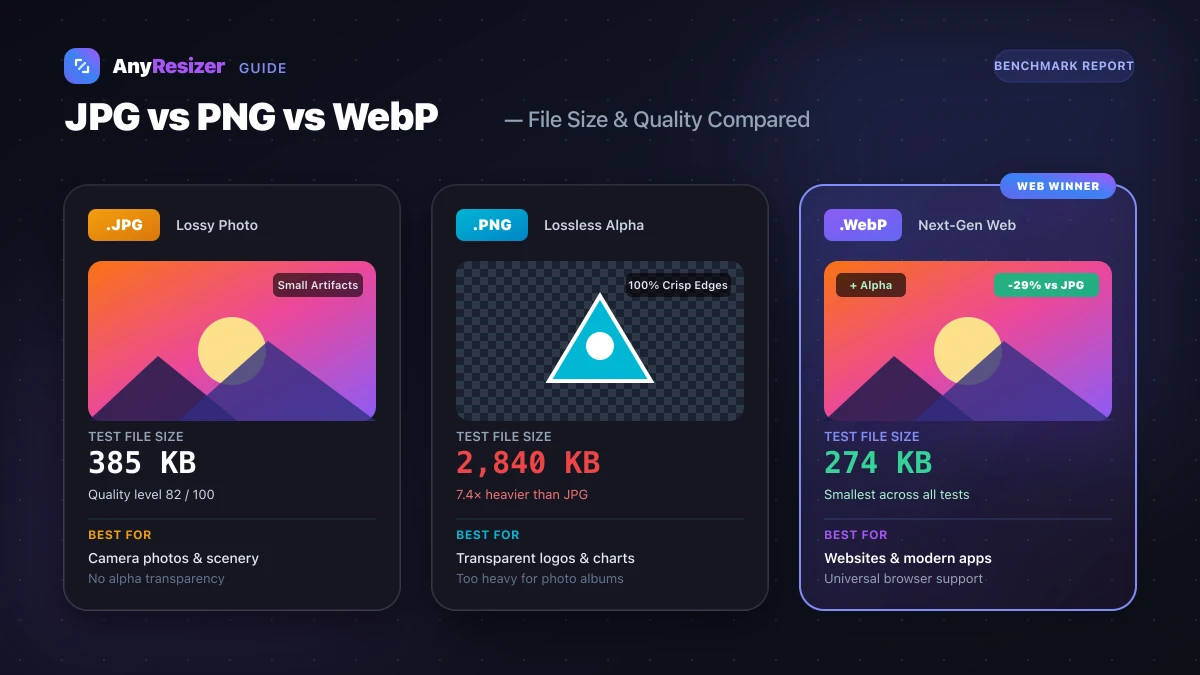
Picking the right image format keeps your website fast and your graphics crisp. While JPG and PNG have been web standards for decades, WebP is now supported by every modern web browser.
Here is how each format works, where it shines, and how their file sizes compare on real test images.
When to Use JPG
JPG (or JPEG) is the standard format for digital photography. It uses lossy compression, which removes color details that the human eye struggles to notice.
JPG works best for:
- Digital camera photos and phone pictures
- Complex artwork with continuous color tones and gradients
- Email attachments and photo albums where storage space is limited
Because JPG does not support transparent backgrounds, any transparent areas turn solid white or black when saved. If you have iPhone photos in Apple's newer format, read our guide on what a HEIC file is to learn how it compares to standard JPG.
When to Use PNG
PNG is an uncompressed or losslessly compressed format designed for graphics that require crisp lines.
PNG works best for:
- Company logos and icon graphics with transparent backgrounds
- Screenshots with sharp text, user interfaces, or code snippets
- Medical scans, architectural plans, and charts where data cannot be lost
The downside of PNG is file size. A detailed photograph saved as PNG is often three to six times heavier than the same image saved as a high-quality JPG.
When to Use WebP
Google developed WebP specifically for the modern web. WebP supports both lossy and lossless compression, along with transparent backgrounds and animations.
WebP works best for:
- Website hero images, banners, and article covers
- E-commerce product photos where page speed affects conversion rates
- Replacing heavy transparent PNG icons with lightweight modern assets
Every major browser, including Safari, Chrome, Edge, and Firefox, supports WebP.
Real Benchmark: File Size Comparison
We tested three distinct image types across all three formats. Each image measured 1600×1066 pixels:
| Image Type | PNG (Lossless) | JPG (Quality 82) | WebP (Quality 82) | Smallest Format |
|---|---|---|---|---|
| Outdoor Landscape Photo | 2,840 KB | 385 KB | 274 KB | WebP (29% smaller than JPG) |
| UI Screenshot with Text | 420 KB | 390 KB | 195 KB | WebP (53% smaller than PNG) |
| Logo with Transparent Alpha | 290 KB | Not supported | 115 KB | WebP (60% smaller than PNG) |
As shown in our tests, WebP produced the smallest file across every test category without visible degradation at normal viewing distances.
How to Convert Between Formats
When you need to switch formats for an upload form or design program, you can convert files directly in your browser:
Select your source image
Drop any JPG, PNG, WebP, or HEIC image into the tool.
Choose your target format
Pick WebP for smaller web pages, or JPG for maximum software compatibility.
Download your converted image
Save the newly encoded file to your device with one click.
Frequently asked questions

The AnyResizer editorial team benchmarks image codecs, compression ratios, and web graphic formats using in-browser WASM and Canvas engines.
Related guides
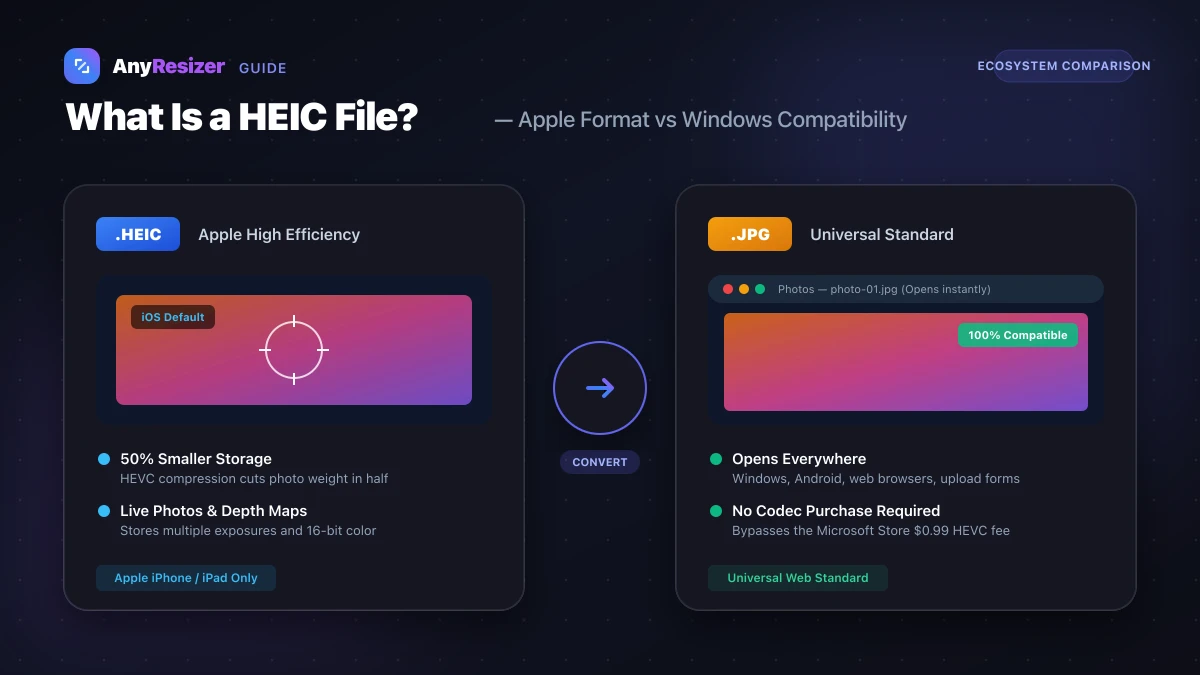
What Is a HEIC File? How to Open and Convert It on Windows
Learn what HEIC files are, why Apple uses them, why Windows can't open them by default, and how to convert HEIC to JPG for free.